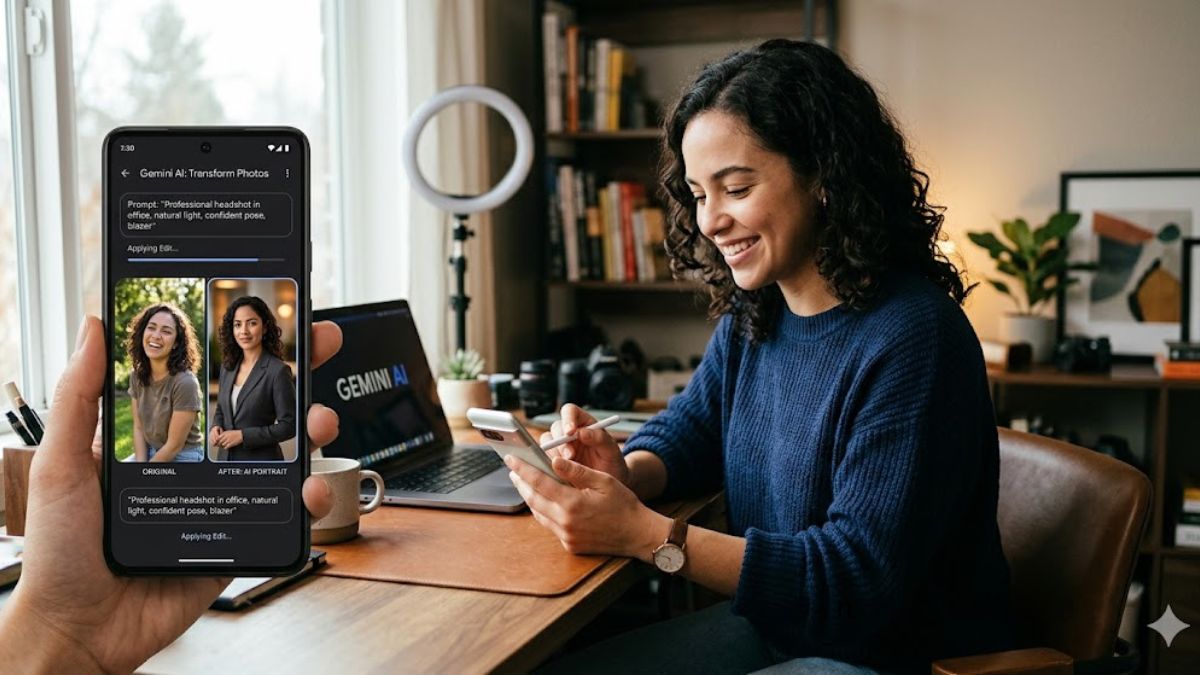
AI photo editing is one of the biggest trends among social media users, creators and photographers. Google Gemini AI and similar tools enable users to turn basic everyday photos into professional portraits with ease, without the need for advanced editing skills. From studio-style headshots and cinematic portraits to vintage looks and luxury fashion edits, AI prompts can help enhance lighting, background, colours, and overall image quality while maintaining the person’s original features naturally.
Whether you want a LinkedIn-style professional photo, an Instagram aesthetic portrait, or a high-end photoshoot look, these Gemini AI photo editing prompts can help turn normal pictures into stunning visuals.
Gemini AI Photo Editing Prompts: Turn Your Normal Photos Into Professional Portraits
1. Professional Studio Portrait Prompt
Prompt:
“Transform this photo into a professional studio portrait. Keep my facial features natural and realistic. Add soft studio lighting, a clean background, sharp details, balanced colors and a high-quality DSLR camera look. Make it suitable for a professional profile photo.”
This prompt is useful for creating polished profile pictures for professional platforms, resumes, and portfolios. It improves lighting, clarity and background while maintaining a realistic appearance.
2. Luxury Fashion Photoshoot Prompt
Prompt:
“Edit this image into a luxury fashion magazine photoshoot style. Keep my face and identity unchanged. Add elegant lighting, premium styling, high-fashion vibes, cinematic shadows and a professional editorial photography look.”
This prompt can transform a simple outfit photo into a glamorous fashion-style image inspired by magazine shoots.
3. Cinematic Portrait Prompt
Prompt:
“Convert this photo into a cinematic portrait. Add dramatic lighting, depth of field, realistic skin texture, soft shadows and a movie-like color tone. Make it look like a professional camera shot.”
This style creates a film-inspired appearance with enhanced mood and professional photography effects.
4. LinkedIn Professional Headshot Prompt
Prompt:
“Create a professional LinkedIn headshot from this photo. Keep my appearance natural and realistic. Add a clean professional background, formal lighting, sharp focus and corporate photography style.”
This prompt is ideal for improving work profiles while keeping the image authentic.
5. Instagram Aesthetic Portrait Prompt
Prompt:
“Turn this photo into an Instagram aesthetic portrait. Add soft natural lighting, warm tones, clean editing, realistic details, and a trendy lifestyle photography style.”
This creates a modern social media-ready look without making the image appear overly edited.
6. Vintage 90s Photo Effect Prompt
Prompt:
“Transform this image into a 90s vintage portrait. Add film grain, retro colors, nostalgic lighting, classic photography style, and a realistic old-camera effect while keeping my face unchanged.”
This prompt recreates the popular retro and vintage photography trend.
7. Black and White Classic Portrait Prompt
Prompt:
“Convert this photo into a timeless black and white portrait. Add professional studio lighting, high contrast, detailed facial features, and an elegant photography style.”
Black-and-white edits give photos a classic and artistic appearance.
8. Travel Photography Portrait Prompt
Prompt:
“Edit this image into a professional travel photography portrait. Keep my face realistic and unchanged. Add natural scenery, beautiful lighting, realistic colors and a high-end travel magazine style.”
This works well for vacation photos and outdoor pictures.
9. Celebrity-Inspired Red Carpet Look Prompt
Prompt:
“Transform this photo into a red carpet celebrity-style portrait. Add luxury fashion styling, glamorous lighting, professional photography quality, and an elegant award-show atmosphere while keeping my identity the same.”
This creates a glamorous event-style portrait.
10. Outdoor Golden Hour Portrait Prompt
Prompt:
“Enhance this photo into a golden hour outdoor portrait. Add warm sunlight, natural background blur, realistic skin tones, professional camera quality, and a dreamy photography effect.”
Golden hour edits create a soft and natural professional photography look.
11. Passport-Style Professional Photo Prompt
Prompt:
“Create a clean passport-style professional photo from this image. Keep my face realistic, add proper lighting, sharp focus, and a simple neutral background.”
Useful for creating formal identification-style images.
12. Luxury Black Outfit Portrait Prompt
Prompt:
“Edit this photo into a luxury fashion portrait. Add a premium black outfit style, dramatic lighting, elegant background, and high-end magazine photography look while keeping my facial features unchanged.”
This creates a sophisticated and stylish appearance.
Tips to Get Better Results From Gemini AI Photo Editing Prompts
Upload a Clear Photo
A high-resolution image with good lighting usually gives better AI editing results. Avoid blurry or heavily filtered pictures.
Mention What Should Stay the Same
Adding instructions like “keep my face unchanged” or “maintain natural features” helps preserve your identity.
Describe the Exact Style
The more details you provide about lighting, background, mood, and photography style, the better the final result.
Avoid Over Editing
Natural-looking edits often perform better than unrealistic changes, especially for professional portraits.