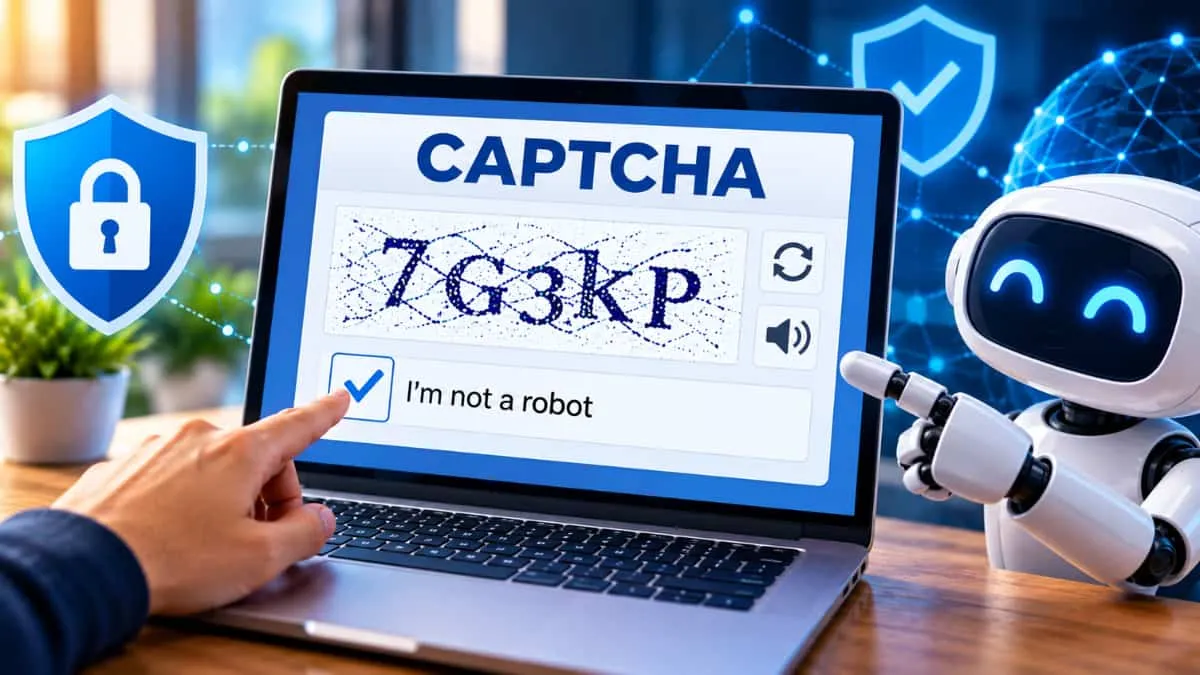
Did you ever think that whenever you visit a website, you may ask something to prove whether you are human or robots. This is CAPTCHA, where you have to select the image or text.
CAPTCHA (Completely Automated Public Turing test to tell Computers and Humans Apart) is a security tool which is used by many websites to identify whether the user is human or any automated bot program to prevent the harmful spam attacks on the websites.
It asked the users to to either type the letter shown in image, or select the certain image, or click on the checkbox to verify you are human
CAPTCHA is mainly used to protect the website from fake registration, secure the website from any spam, unwanted comments, or any automated attacks.
IBM explained that CAPTCHA is an authentication method which is used to challenge the users by the task, and that task is easy for humans, but for the machine, it would be difficult.
So, let’s explore this article & learn what is CAPTCHA, meaning of CAPTCHA, full form of CAPTCHA, why does google use CAPTCHA, how does it works, its uses, types benefits, and challenges in detail.
What is CAPTCHA?
CAPTCHA is a security measure tool which is commonly known as “challenge-response authentication.” It is basically a security test to tell the difference between a human users and a computer bot.
This test gives you small challenge that a normal person would complete but dor the machine bot, it would get difficult to solve, and the website will protected from the any spam, and password decryption by asking you to complete the task and to prove that you are human and not any computer bot or programming spam which are trying to break the password protected account on any website.
For example, an older CAPTCHA might show a group of distorted letters and numbers. The user has to read the characters and type them into a box.
What is the Full Form of CAPTCHA?
The full form of CAPTCHA is:
Completely Automated Public Turing Test to Tell Computers and Humans Apart
The word CAPTCHA is related with “Turing Test” which was named after the computer scientist, Alan Turing.
CAPTCHA Full Form at a Glance
|
Term
|
Meaning
|
|
C
|
Completely
|
|
A
|
Automated
|
|
P
|
Public
|
|
T
|
Turing
|
|
C
|
Test
|
|
H
|
To Tell
|
|
A
|
Computers
|
|
Apart
|
And Humans Apart
|
What is the Meaning of CAPTCHA?
The meaning of CAPTCHA is to test a website to check whether a person who came to the site is a human or any machine or programming bot.
It is very useful for the website for security reasons because a bot can do very fast and perform any task without taking too much time for creating fake accounts, submit the forms, post the spam comments, or try to crack the password protection account, but for humans these tasks are very time-consuming.
Why does Google use CAPTCHA?
According to Google, “Google is committed to keeping your information safe and secure. CAPTCHA offers protection from remote digital entry by making sure only a human being with the right password can access your account. CAPTCHA works because computers can create a distorted image and process a response, but they can't read or solve the problem the way a human must to pass the test.
Many web services, including Google, use CAPTCHA to help prevent unauthorized account entry. You may also see CAPTCHA on other sites that provide access to sensitive information, such as bank or credit card accounts.”
How Does CAPTCHA Work?
The basic working of CAPTCHA is simple:
-
A website displays a CAPTCHA challenge.
-
The user completes the challenge.
-
The system checks the response.
-
If the response appears correct, the user can continue.
-
If the system suspects automated activity, it may ask for another verification step.
Traditional CAPTCHA systems often used distorted letters and numbers. The user had to identify and enter them correctly. IBM notes that older CAPTCHAs were designed around the difficulty that machines had with reading distorted text.
Modern CAPTCHA systems can work differently. For example, some systems can analyse user behaviour and other signals to decide whether a visitor is likely to be a human or a bot.
Where is CAPTCHA Used?
CAPTCHA can be found on many types of websites and online services.
Some common uses include:
-
Creating new accounts
-
Logging into websites
-
Submitting online forms
-
Posting comments
-
Posting product reviews
-
Online polls
-
Protecting online transactions
-
Stopping repeated password-guessing attempts
IBM lists preventing fake registrations, protecting suspicious transactions, maintaining online poll integrity, stopping comment and review spam, and defending against certain password attacks among the common uses of CAPTCHA.
Why Do Websites Use CAPTCHA?
The main reason websites use CAPTCHA is to stop bots from carrying out unwanted activities.
For example, a bot may try to:
-
Create thousands of fake accounts
-
Send spam through online forms
-
Post fake comments
-
Submit fake reviews
-
Repeatedly guess passwords
-
Carry out other automated activities
A CAPTCHA adds an extra security check before the user is allowed to continue.
For example, CAPTCHA can be placed before an account registration form to stop automated programs from creating large numbers of fake accounts.
Types of CAPTCHA
CAPTCHA technology has changed over time. Some common types include:
1. Text CAPTCHA
This is one of the older forms of CAPTCHA.
Users are shown distorted letters or numbers and have to type them into a box.
The distortion was designed to make the characters difficult for computer programs to read.
2. Image CAPTCHA
In image-based CAPTCHA, users may be asked to identify particular objects in pictures.
For example, a test may ask users to select images containing a particular type of object.
3. Checkbox CAPTCHA
Some CAPTCHA systems show a simple “I am not a robot” checkbox.
The system can analyse different signals when the user interacts with the webpage. If the system is unsure whether the visitor is human, it may present another challenge.
4. Invisible or Background CAPTCHA
Newer systems can work in the background without always showing users a traditional puzzle.
IBM explains that reCAPTCHA v3 can use a risk-analysis system to give a score indicating whether a user is more likely to be a human or a bot.
What is Google reCAPTCHA?
reCAPTCHA is a CAPTCHA service developed by Google.
Google acquired reCAPTCHA in 2009. Over time, the technology changed from distorted text challenges to image-based tests and later to systems that can analyse user behaviour and risk.
Google's CAPTCHA systems are used to help protect websites and online services from automated and potentially harmful activity.
History of CAPTCHA
The development of CAPTCHA began in the late 1990s and early 2000s as companies and researchers looked for ways to stop harmful bots.
According to IBM, researchers at the IT company Sanctum filed the first CAPTCHA-style system in 1997. The term CAPTCHA was introduced in 2003 by a group of computer science researchers at Carnegie Mellon University led by Luis von Ahn and Manuel Blum.
The early system used random text, distorted the text in an image and asked users to type the characters they saw.
As computer technology improved, bots also became better at solving CAPTCHA tests. This led to the development of newer CAPTCHA methods.
What are the Benefits of CAPTCHA?
CAPTCHA provides several benefits to websites.
Prevents Fake Accounts
CAPTCHA can make it harder for bots to automatically create large numbers of accounts.
Reduces Spam
It can help stop automated spam in comment sections, registration forms and other online services.
Protects Online Forms
Websites can use CAPTCHA to prevent automated programs from repeatedly submitting forms.
Helps Protect Accounts
CAPTCHA can be used as an additional security check when a website detects repeated unsuccessful login attempts.
Protects Online Polls
CAPTCHA can help reduce automated voting and protect the quality of online polls.
What are the Challenges of CAPTCHA?
Although CAPTCHA can improve website security, it also has some disadvantages.
1. It Can Be Difficult to Solve
Some CAPTCHA tests are difficult to read or complete. This can make the website experience frustrating for users.
2. Accessibility Problems
Some image and text CAPTCHAs can be difficult for people with visual disabilities because screen readers may not be able to read the challenge. Audio alternatives may also be difficult to understand.
3. It Takes Extra Time
CAPTCHA adds another step before a person can complete an action such as signing up, logging in or submitting a form.
4. Bots Are Becoming Smarter
One major challenge is that computer programs are becoming better at solving CAPTCHA challenges.
As technology improves, CAPTCHA systems also need to change to stay effective. IBM describes this as an ongoing competition between CAPTCHA developers and cybercriminals.
5. Privacy Concerns
Some newer CAPTCHA systems use information such as cookies and other signals to assess whether a user is likely to be a human. This has raised privacy concerns among some users and researchers.
CAPTCHA vs reCAPTCHA
|
CAPTCHA
|
reCAPTCHA
|
|
General name for human-verification tests
|
A CAPTCHA service associated with Google
|
|
Can include different types of challenges
|
Has evolved through several versions
|
|
Used to identify humans and bots
|
Uses different methods to assess users
|
|
Can be text, image or other challenges
|
Modern versions can use risk and behaviour analysis
|
Is CAPTCHA Important for Online Security?
Yes. CAPTCHA can be an important additional security measure for websites.
It helps websites reduce automated activities such as fake registrations, spam and some password-guessing attempts.
However, CAPTCHA is not a complete security system by itself. Websites may use it together with other security measures to protect users and online accounts.
Conclusion
CAPTCHA is a security test that helps websites tell humans and computer bots apart. Its full form is Completely Automated Public Turing Test to Tell Computers and Humans Apart.
From distorted text and image challenges to modern systems that analyse user behaviour, CAPTCHA has changed as computer technology has developed.
Its main purpose remains the same: to make it harder for harmful bots to misuse websites while allowing genuine users to continue their activities. However, CAPTCHA also needs to balance security with ease of use, accessibility and privacy.