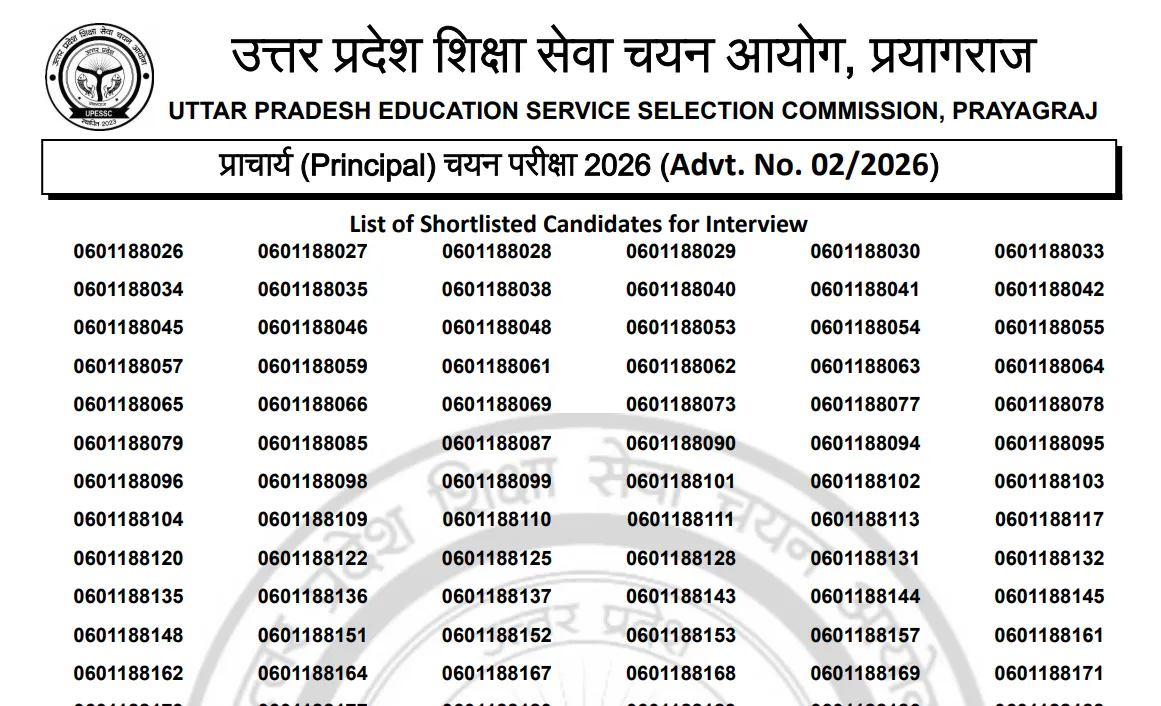
UPESSC Principal Result 2026 Out: The Uttar Pradesh Education Service Selection Commission (UPESSC) has declared the Principal Result 2026. Candidates who appeared in the recruitment exam for the post of Principal in government inter colleges of Uttar Pradesh can now check their result on the official website, upessc.up.gov.in. The result is available in PDF format and contains the roll numbers of the shortlisted candidates. Those who have qualified will be called for the next stage of the selection process. In this article, we have shared the direct link to check the result, steps to download it, and other important details.
UPESSC Principal Result 2026 Highlights
The Uttar Pradesh Education Service Selection Commission has declared the result for the Principal recruitment exam. Candidates can find all the information about UPESSC Principal Result 2026 in the table given below:
|
Particulars
|
Details
|
|
Conducting Body
|
Uttar Pradesh Education Service Selection Commission (UPESSC)
|
|
Exam Name
|
UPESSC Principal Recruitment Exam 2026 (Degree Colleges)
|
|
Advertisement Number
|
Advt. No. 02/2026
|
|
Post Name
|
Principal (Prachary) in Non-Government Aided & Women Degree Colleges
|
|
Total Vacancies
|
111 Posts
|
|
Online Application Dates
|
July 21, 2026 to August 20, 2026
|
|
Admit Card Release
|
September 14, 2026
|
|
Written Exam Date
|
September 24, 2026
|
|
Provisional Answer Key
|
September 26, 2026
|
|
Written Result Released On
|
October 12, 2026
|
|
Result Mode
|
Shortlisted candidates list published via official PDF
|
|
Interview Call Letter Release
|
October 14, 2026
|
|
Interview Dates
|
October 27 to October 30, 2026
|
|
Official Website
|
upessc.up.gov.in
|
UPESSC Principal Result 2026 Out
UPESSC Principal Result 2026 is now available on the official website, upessc.up.gov.in. Candidates who appeared for the written examination can now check and download the result PDF from the direct link given below:
|
UPESSC Principal Result 2026 PDF
|
Steps to Download UPESSC Principal Result 2026
The result is released as a PDF on the official website, so candidates do not need to log in. Follow the steps below to check your roll number and save the result.
-
Visit the official website of UPESSC at upessc.up.gov.in.
On the homepage, look for the "Result" or "Latest Updates" section.
Click on the link for "Principal Result 2026" (Advertisement No. 02/2026).
The result PDF will open on your screen.
Press Ctrl+F (or use the search option on your phone) and enter your roll number to check if you are selected.
Download the PDF and save it for future reference. You can also take a printout.