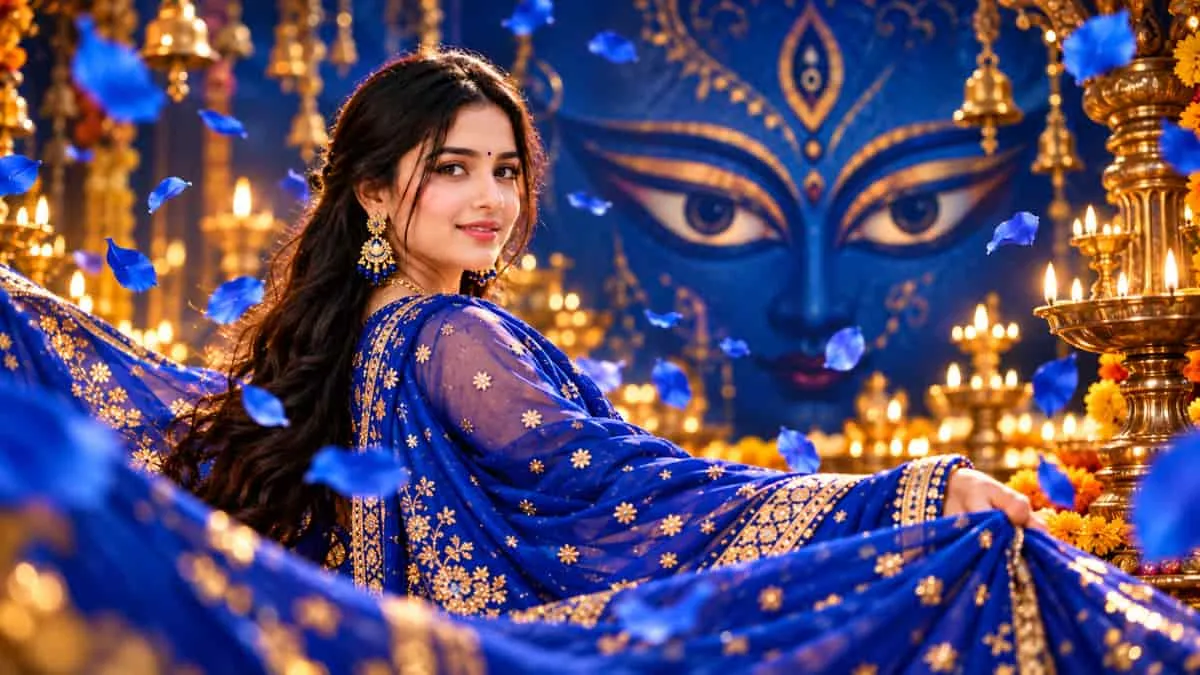
ChatGPT Fourth Day of Navratri AI Editing Prompts 2026: The fourth day of Sharad Navratri will be observed on Wednesday, October 14, 2026. This day is associated with Maa Kushmanda, who is worshipped on the fourth day of the festival. Royal blue is the dedicated colour for Day 4 in this Navratri colour series.
If you want to give your photographs a special Navratri look, ChatGPT AI photo-editing prompts can help you transform ordinary pictures into festive portraits with royal blue outfits, dramatic lighting, glowing backgrounds, artistic shadows and divine-inspired visual effects.
This article features 6 unique ChatGPT photo-editing prompts for the fourth day of Navratri, with special creative concepts featuring Maa Kushmanda-inspired eyes, mystical shadows, celestial reflections and symbolic artistic effects. Each prompt offers a different pose or composition instead of repeating the usual standing or sitting poses.
How to Create Navratri Day 4 AI Photos Using ChatGPT
Follow these simple steps to create your festive photographs:
-
Open ChatGPT and upload a clear photograph of yourself.
Copy one of the prompts given below.
Paste the prompt into the chat and ask ChatGPT to edit the uploaded image.
Review the generated image and request adjustments if required.
Save the result in the highest available image quality.
Tip: For the best results, use a clear, well-lit photograph. Add your preferred royal blue outfit, lighting and background details through the prompt.
6 ChatGPT Fourth Day of Navratri AI Photo Editing Prompts 2026
These prompts are designed around different compositions, artistic effects and festive settings.
Prompt 1: Maa Kushmanda's Eyes Reflected in a Royal Blue Mirror
Transform my uploaded photograph into an elegant, cinematic Navratri Day 4 portrait. Preserve my original face, identity, facial proportions, skin tone and natural skin texture exactly. Dress me in a beautifully detailed royal blue traditional outfit with delicate golden embroidery. Show me looking into an antique mirror with a mysterious, artistic reflection inspired by the symbolic eyes of Maa Kushmanda appearing softly within the mirror's golden-blue light. Keep the eyes in the reflection separate from my actual face. Use subtle floating particles, deep blue shadows and realistic studio lighting. Create an ultra-detailed, photorealistic Ultra HD 8K-style image without text, logos or watermarks.
Prompt 2: Divine Eyes Emerging from a Blue Shadow
Edit my uploaded photograph into a dramatic artistic portrait for the fourth day of Navratri. Keep my face and identity completely unchanged. Use a royal blue background with a large, soft shadow behind me. Within the shadow, create a subtle pair of goddess-inspired eyes formed from golden light and blue mist, symbolising divine protection and inner strength. Give me a graceful, over-the-shoulder pose, with my face turned slightly towards the camera. Use realistic fabric, cinematic contrast and elegant festive styling. The divine eyes must remain part of the background shadow, not replace or alter my eyes. Ultra HD 8K-style detail, no text or watermark.
Prompt 3: Maa Kushmanda's Shadow on a Blue Silk Curtain
Use my uploaded photograph to create a premium festive editorial portrait for Navratri Day 4. Keep my face, facial features and skin tone unchanged. Dress me in a rich royal blue silk outfit. Capture me in a graceful side-profile pose while gently holding the edge of a flowing blue curtain. Behind me, cast a large, intricate shadow inspired by Maa Kushmanda's traditional divine symbolism, with a subtle suggestion of expressive eyes and a radiant halo. Use warm golden light from one side and cool blue illumination from the other. The shadow should look like a real artistic projection, not a second person. Photorealistic, Ultra HD 8K-style finish, no text or watermark.
Prompt 4: Royal Blue Fabric in Motion
Transform my uploaded photograph into a high-fashion Navratri portrait. Preserve my face and identity exactly. Capture me in a dynamic twirling pose, with a royal blue dupatta flowing in a wide circular arc around me. Use realistic fabric movement, golden embroidered details and a softly illuminated blue background. The composition should freeze the movement like a professional fashion photograph. Add delicate floating golden particles and natural shadows. Avoid a static standing pose. Ultra HD 8K-style realism, no text or watermark.
Prompt 5: Floating Blue Petals
Create a magical but photorealistic portrait from my uploaded photograph. Preserve my exact face, skin tone and identity. Show me turning gently while hundreds of royal blue flower petals float around me at different depths. Dress me in an elegant blue festive outfit with delicate gold detailing. Use a dark blue background with soft golden backlighting to highlight each petal. Give the composition a sense of movement and depth, as if captured with a professional high-speed camera. Ultra HD 8K-style quality, no text or watermark.
Prompt 6: The Royal Blue Cosmic Queen
Create a grand yet realistic festive portrait for the fourth day of Navratri using my uploaded photograph. Preserve my original face, identity, skin tone and natural texture without beautification or facial reshaping. Dress me in a richly detailed royal blue outfit with fine golden embroidery. Capture me in a dramatic over-the-shoulder pose, with one hand lifting a flowing dupatta. Behind me, create a luminous cosmic circle with blue clouds, delicate golden rays and abstract divine-inspired patterns associated with Maa Kushmanda. Use premium cinematic lighting, realistic fabric movement and a balanced composition. Ultra HD 8K-style detail, no text, logo or watermark.
Tips for Better Navratri AI Photo Editing Results
-
Preserve your real face: Always ask ChatGPT to keep your original facial features and identity unchanged.
-
Choose the right colour: Use royal blue as the main colour for this Day 4 photo-editing series.
-
Try different camera angles: Experiment with profile shots, over-the-shoulder poses, low angles and close-ups.
-
Use realistic lighting: Golden rim lighting, soft shadows and controlled studio illumination can make the images look more natural.
-
Avoid excessive effects: Keep divine-inspired eyes, smoke, reflections and glowing shadows in the background so that your actual face remains clear.
-
Request the highest available quality: Ask for an Ultra HD 8K-style finish, while remembering that the actual resolution depends on the image-generation and editing tools available.