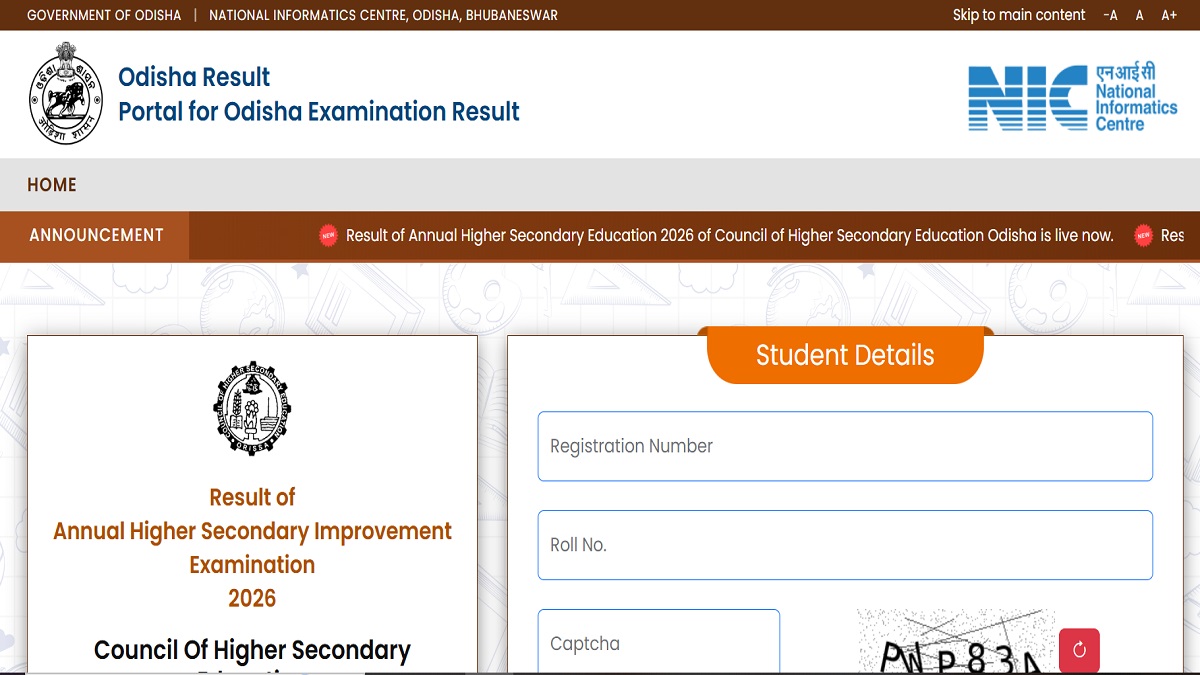
Odisha Class 12 Supplementary Result 2026: The Council of Higher Secondary Education, Odisha, has announced the results of the Higher Secondary Improvement Examination 2026. Candidates who have appeared for their improvement exams can visit the board's official website to check the results and download their online marksheets.
Along with the Odisha Board Plus Two improvement results, the board has also announced the results for the Annual Higher Secondary Instant Examination. To check the results, students are required to visit the official website and log in with their registration number, roll number and captcha. The original marksheets and pass certificates of the candidates will be issued by the board. Students can contact their school authorities to collect their original marksheets.
The link to check the Odisha 12th Improvement and Instant result 2026 is available on the official website results.odisha.gov.in. Candidates can also click on the direct link given here to download their online marksheets.
Odisha Class 12 Instant Exam - Click Here
Odisha Class 12 Improvement Exam - Click Here
Official Website to Download Marksheets
CHSE Odisha Plus Two improvement and instant results are now available on the official website. To download the marksheets, students are required to visit the official website and log in with their credentials. To download the marksheets, students are advised to visit the official website or the result portal and login with the registration number and roll number. Candidates can check their results at
- chseodisha.nic.in
- results.odisha.gov.in
Odisha Board 12th Improvement Exam 2026: Steps to Download Online Marksheet
A copy of the marksheet is available for download on the official website of CHSE Odisha. Candidates can follow the steps provided below to download their marksheets.
Step 1: Visit the official website of CHSE Odisha
Step 2: Click on Results portal
Step 3: Click on the Result of Annual Higher Secondary Instant Examination 2026/ Result of Annual Higher Secondary Improvement Examination 2026 link
Step 3: The login window will be displayed
Step 4: Enter the Registration number, Roll number and Captcha
Step 5: The marksheets will be displayed
Step 6: Download the marksheets for further reference