TNMRB Answer Key 2026 OUT: Download Assistant Surgeon Provisional Response Sheet PDF at mrb.tn.gov.in
MRB Answer Key 2026 has been released by the Tamil Nadu Medical Recruitment Board (TN MRB) with response and objection tracker for Tamil Paper and Subject Paper Assistant Surgeon General with Speciality Qualification. Candidates can raise their objections, if any in online mode through the guidelines given in the notification. Check all details here.
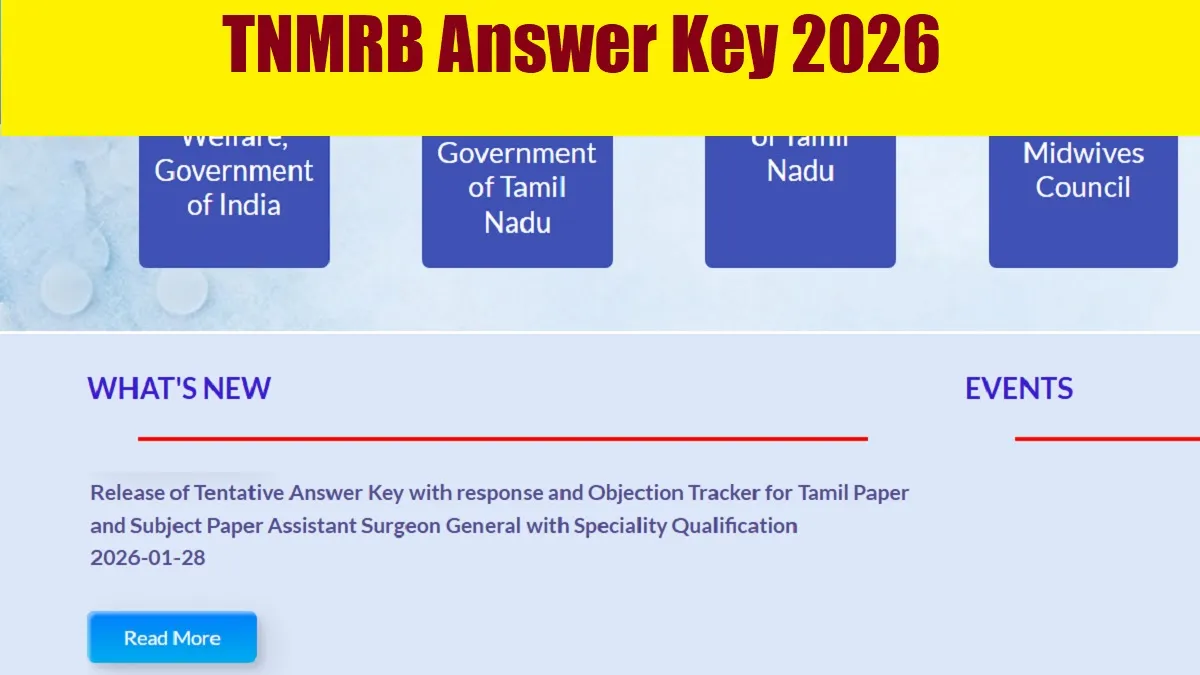
TNMRB Answer Key 2026 Out:Tamil Nadu Medical Recruitment Board (TN MRB) has released the tentative answer key with response and objection tracker for Tamil Paper and Subject Paper Assistant Surgeon General with Speciality Qualification on January 28, 2026. The provisional answer key is the crucial tool which provides candidates an opportunity to understand their performance even before the issuance of the final answer key and result and even option to raise objections, if any.
All those candidates who appeared in the written exam for the Assistant Surgeon can download the professional answer key from the official website mrb.tn.gov.in.
TNMRB Answer Key 2026 Link
Tamil Nadu Medical Recruitment Board (TN MRB) has uploaded the download link for the tentative answer key with response and objection tracker for Tamil Paper and Subject Paper Assistant Surgeon General with Speciality Qualification on its official website. Candidates appeared in the exam can download the provisional answer key directly through the link given below-
| TNMRB Answer Key 2026 |
MRB Answer Key 2025 Overview
Candidates are advised to go through the tentative answer key pdf and raise their objections, if any in online mode after following the guidelines given in the notification. You can check the details of the Tamil Paper and Subject Paper Assistant Surgeon General with Speciality Qualification recruitment drive given below-
| Particulars | Details |
| Organization | Tamil Nadu Medical Recruitment Board (TN MRB) |
| Post Name | Assistant Surgeon |
| Answer Keystatus | Out |
| Official Website | https://www.mrb.tn.gov.in/ |
How to Download TN MRB Assistant Surgeon Answer Key 2026 ?
You can download the hall ticket after following the steps given below-
Step 1: Visit the official website of Tamil Nadu Medical Recruitment Board (TN MRB)- https://www.mrb.tn.gov.in/
Step 2: Click on the link- Release of Tentative Answer Key with response and Objection Tracker for Tamil Paper and Subject Paper Assistant Surgeon General with Speciality Qualificationon the home page.
Step 3: Now, provide your login credentials to the link.
Step 4: Your MRB Answer Key will appear in a new window on the screen.
Step 5: Download and take the printout of the answer key.
What's Next After the TN MRB Assistant Surgeon Answer Key 2026?
After the release of Tentative Answer Key with response and Objection Tracker for Tamil Paper and Subject Paper Assistant Surgeon General, candidates now have the opportunity to download the answer key and match their response sheet accordingly. Now candidates can download the provisional answer key and raise their objections, if any in online mode. Candidates can raise their objections in online mode on or before the dateline mentioned in the notification. All the objections will be evaluated by the experts by the authority and then the final answer key will be released. Once the model and final answer key will be released, candidates will not be able to raise any objections, if any.
How to Raise Objections Against the TNMRB Answer Key 2026?
Candidates can raise their objections in an online mode after following the steps given below.
Step 1:Visit the website Tamil Nadu Medical Recruitment Board (TN MRB)- https://www.mrb.tn.gov.in/
Step 2: Click on the link-TN MRB Assistant Surgeon Answer Key 2026
Step 3: Now you can compare the answers from the response sheet downloaded for paper 1 and 2.
Step 4: Now click on "TN MRB Assistant Surgeon Answer Key 2026" if you have any discrepancies.
Step 5: Now provide the details including 'Objection, Recommendation or Remarks' in the box displaying
Step 6: Now attach the appropriate evidence to support your answer and pay the requisite fee.
Step 6: Submit and save the details to the link.

Manish Kumar, an education Journalist and content professional with 15+ years of experience in Education and Career Development domain in digital and print media. He has previously worked with All India Radio (External Service Division), State Times and others. A Science Graduate (Hons in Physics) with PGJMC in Journalism and Mass Communication. At Jagranjosh, he used to create high-quality, engaging educational content for Education and Career sections including News/Notifications/Current Affairs/Preparation etc. He can be reached at manish.kumarcnt@jagrannewmedia.com.


-1792675197045_t.webp)

![NIOS Hall Ticket 2026 [OUT] LIVE: Download Class 10th, 12th October Theory Admit Card at sdmis.nios.ac.in, Direct link here](https://img.jagranjosh.com/images/2026/October/16102026/NIOS-Hall-Ticket-2026.jpg)
![[OUT] UPSSSC PET Admit Card 2026 LIVE: यूपी पीईटी एडमिट कार्ड जारी, upsssc.gov.in पर Direct Link](https://img.jagranjosh.com/images/2026/October/15102026/UPSSSC-PET-Admit-Card-2026.jpg)