Ayushman Bharat Card 2026: How to Add Family Member Names Online via Mobile App
Learn how to add new family member names to your Ayushman Bharat Card online using the official mobile app in 2026.
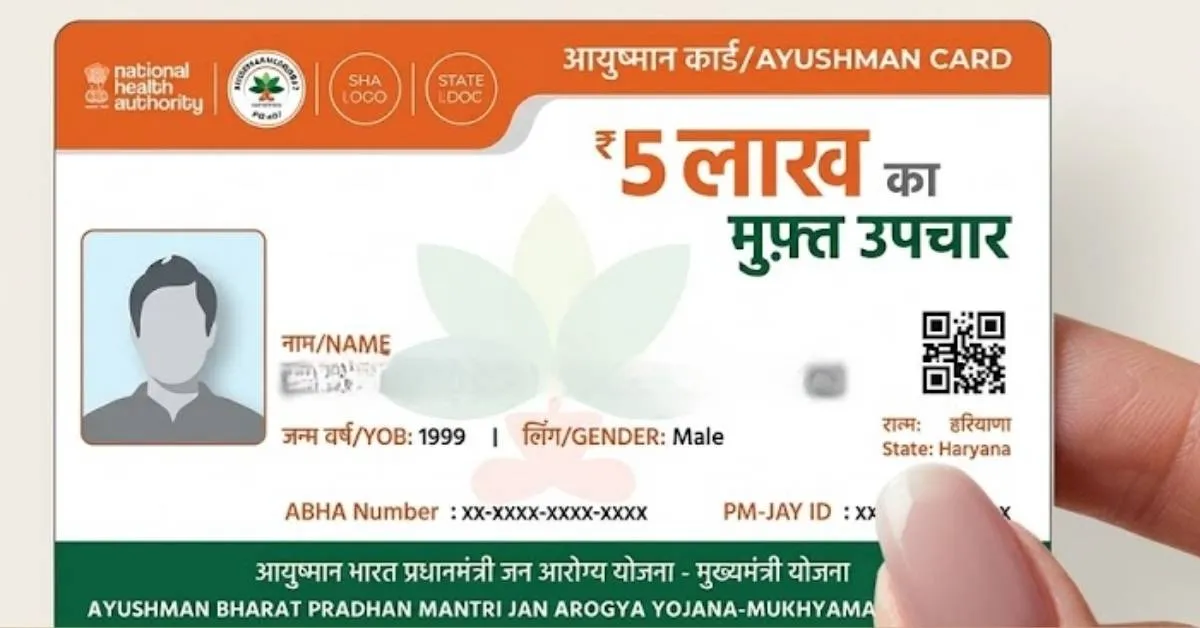
The Ayushman Bharat Pradhan Mantri Jan Arogya Yojana (AB-PM-JAY) is regarded as the world’s biggest government-funded health assurance system that provides cashless coverage of benefits up to INR 5 Lakhs per family on an annual basis for secondary and tertiary hospitalisation.
If a relative was not included in the previous one the National Health Authority (NHA) gives the opportunity to update the list of beneficiaries through its official application online.
Ayushman Bharat Scheme and its Eligibility
Before starting the process of adding names for PM-JAY scheme, one should know the basic aspects of the scheme:
-
Financial Coverage: Up to ₹5,00,000 for each family in a year.
-
Hospital Tie-Up: Cashless treatment in all the government and private hospitals empaneled under the Scheme.
-
Targeted Beneficiaries: Based on Socio Economic Caste Census (SECC)data and the criteria as per the state databases.
-
Official Website and Apps: PM-JAY Beneficiary portal and the Ayushman app available on both Google and Apple App Store.
Required Documents
Before initiating the application the family addition process, one needs to ensure following valid credentials ready:
-
Aadhaar Card: Required for the main cardholder as well as the individual being included.
-
Proof of Relationship: Things such as a Ration Card, Marriage Certificate or Birth Certificate that confirm the familial relation.
-
Currently Functional Mobile Number: Must be linked to the Aadhaar account in order to get OTP notifications. .
-
A passport-sized photograph: Must be a clear digital scan or a live image taken from an app.
Step-by-Step Guide: Adding Members via the Ayushman App
-
Get the Official App: Go to the Apple App Store or the Google Play Store and download the official Ayushman App provided by the National Health Authority (NHA).
-
Login Securely: Launch the application, select your mode of login (Beneficiary or Operator), input the mobile phone number linked with Aadhaar, and verify by inputting the OTP received.
-
Obtain Family Information: Pick a corresponding State, PM-JAY scheme criteria, district, and search by either family ID of Aadhaar to get the already connected beneficiaries list.
-
Start the Process: Go to the section for family members and press the button "Add Member" which is present in the main account holder account.
-
Provide Member Information: Enter to the information of the new member by filling in the complete name, date of birth, gender and type of relationship.
-
Aadhaar Authentication and Photo Click: Complete the Aadhaar OTP verification or the biometric verification of the new member and click the photograph through the app.
-
Upload Required Document: Upload any valid proof of the relationship like a scanned copy of the ration card.
-
Final Submission: Check all input fields and submit the application.
Note: Always ensure that demographic data matches the individual's Aadhaar card precisely to prevent application rejections during verification by state authorities.
After submission, the application credentials are examined by the NHA authorities and state nodal agencies. Once verified, the new member can download the golden card from the portal. In case of any technical issues, the helpline number 14555 can be contacted.

Manisha Waldia is a distinguished content strategist with 5 years of experience crafting premium educational content for UPSC and State PCS, with a focus on deep conceptual analysis across Polity, Geography, History, and Environment. She currently brings this expertise to Jagran Josh, where she covers major national and international events, current affairs, and static general knowledge. Over her career, Manisha's specialized insights have led her to curate high-impact materials and serve as a UPSC Mains answer-evaluator for India’s top institutes—including Drishti IAS, Shubhra Ranjan IAS, Study IQ, GS Score, and PWonlyIAS. She has also worked alongside leading NGOs like Oxfam India and Avani Kumaon.
Contact: manisha.waldia@jagrannewmedia.com


-1793774798548_t.webp)
-1793877691588_t.webp)

![[Link Active] RSSB Basic Computer Instructor Result 2026 OUT: Download Rajasthan BCI and SCI Merit List PDF at rssb.rajasthan.gov.in](https://img.jagranjosh.com/images/2026/November/4112026/RSSB-BCI-and-SCI-Result-2026.jpg)
![[Live] SSC CGL Answer Key 2026 OUT: Download Tier 1 Response Sheet PDF at ssc.gov.in- Link Active](https://img.jagranjosh.com/images/2026/November/4112026/SSC-CGL-Tier-1-Answer-Key-2026.jpg)