


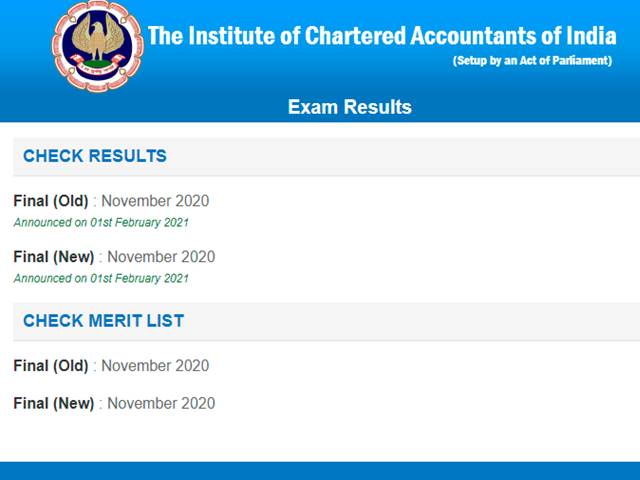
ICAI CA Foundation / Intermediate Results 2020
The Institute of Chartered Accountants of India has declared the ICAI CA Foundation and Intermediate Examination Results on the official website. The ICAI CA Foundation and Intermediate Examinations 2020 were conducted in November 2020. Students who have appeared for the examinations are advised to visit the official website to check the results of the ICAI CA Intermediate and Final Examinations. To check the ICAI CA examination results 2020 students are required to enter the login details in the examination result link provided on the website. The results for ICAI CA Intermediate and Foundation examinations have been released on the official website - icaiexam.icai.org. Candidates can also check the ICAI CA Examination Results through the direct link provided below.
Check ICAI CA Foundation / Intermediate Results 2020 – Direct Link
Results to be Available via SMS and Email
Just like the previous sessions, to make the CA Foundation and Intermediate Results 2020 available to the students more easily, the exam authority will also make the same accessible via SMS and Emails as well. Students who have appeared for the November attempt of the CA Results will soon be sent the final outcome or scorecard for ICAI CA Foundation / Intermediate Results 2020 today after the formal declaration. In order to receive, CA Foundation Result and CA Intermediate Results easily without any problems via SMS or Email, students need to register themselves on the official website i.e. icai.org.
How to check CA Intermediate / Foundation Results online?
In order to make the ICAI CA Results 2020 easily available to the students, the exam authority will publish them online on their official website i.e. icai.org. To avoid facing any technical problems or issues, students are advised to follow the simple step-by-step procedure listed below to check their individual results easily:
- Step 1: Visit the official exam website i.e. icai.org
- Step 2: Find and Click on Link or ICAI CA Foundation / Intermediate Results 2020
- Step 3: You will be redirected to a new page with input fields
- Step 4: Enter your Roll No and PIN or registration number in the respective fields
- Step 5: Enter the security captcha displayed on the screen
- Step 6: Verify all the details and then click on “Check Result” button
- Step 7: Your ICAI CA Result 2020 will be displayed on the screen
- Step 8: Download the Result scorecard and take printout for future reference



Comments
All Comments (0)
Join the conversation