CLAT 2026 Result: Grievance Submission Window To Open Today at consortiumofnlus.ac.in
CLAT 2026 grievance window for errors in calculation, computation of marks, issues arising during the counselling registration process, or any other grievance pertaining to the exams. The window will open at 5 PM today.
Key Points
- Link to submit grievances on CLAT 2026 to open at 5 PM today, December 17, 2025
- The last date for candidates to submit grievances is December 24, 2025
- Grievance on questions, options, answers, or the final answer key shall not be entertained
CLAT 2026 Results: The Consortium of NLUs released the CLAT 2026 results on December 16, 2025. Candidates can download the scorecard through the link on the official website. Candidates who have appeared for the exams can download the scorecard through the login window available.
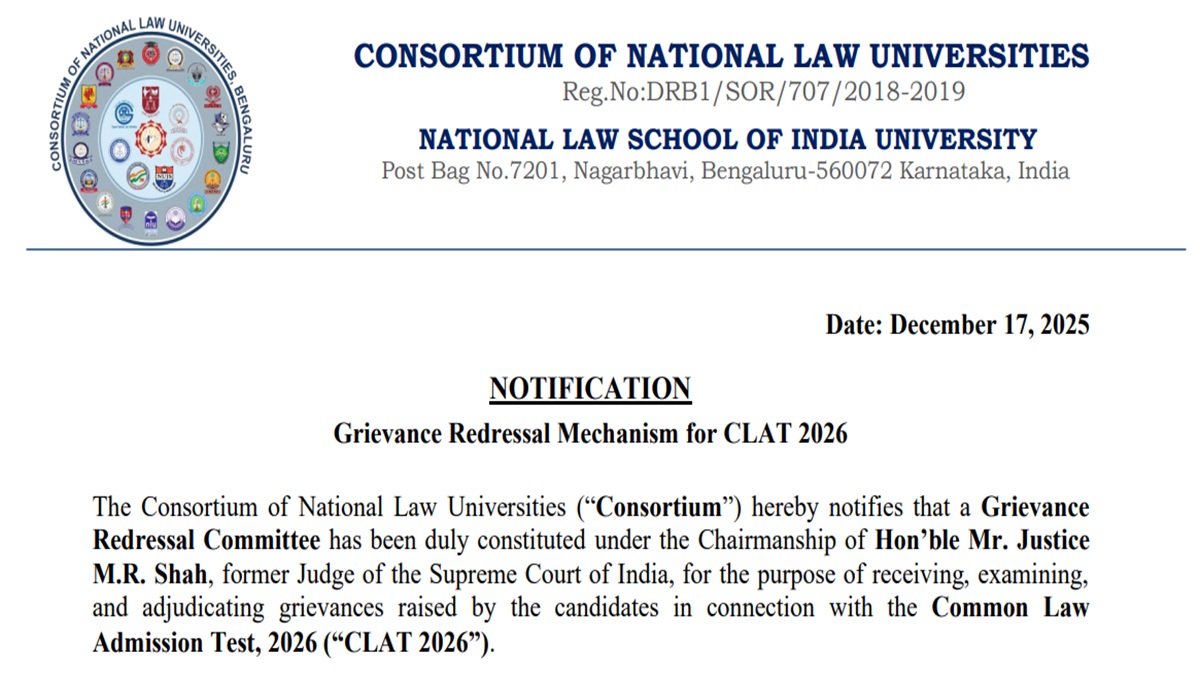
The Consortium has now opened the window for candidates to submit grievances on the CLAT 2026 results. According to the notification released, the Consortium of National Law Universities has opened a Grievance Redressal Committee constituted under the Chairmanship of Hon’ble Mr. Justice M.R. Shah, former Judge of the Supreme Court of India, for the purpose of receiving, examining, and adjudicating grievances raised by the candidates in connection with the Common Law Admission Test, 2026 (“CLAT 2026”).
The online portal for submission of grievances will open at 5.00 PM on December 17, 2025, and will be available until 5.00 PM on December 24, 2025. No grievance submitted beyond the aforesaid timeline shall be entertained under any circumstances. The CLAT 2026 result grievance portal will be available on the official website consortiumofnlus.ac.in. Candidates can also click on the direct link to be given on this page to submit grievances on the results.
CLAT 2026 Grievance Submission Notification - Click Here
Steps to Submit Grievances on CLAT 2026 Result
Candidates who wish to submit grievances on the CLAT exam can follow the steps provided below to submit grievances
- Visit the official website of CLAT
- Login with your mobile number and password
- Click on the “Submit Grievance” option provided on the dashboard
- Specify the category and nature of the grievance
- Furnish a clear and concise description of the grievance, not exceeding 1,000 characters
- Upload relevant supporting documents
- Complete and submit the prescribed declaration
- Submit the grievance by clicking the “Submit” button

Sherin is an education journalist with over 7 years of experience. Over her tenure of working with top media houses like Careers 360 and then Jagran Josh, Sherin has covered various entrance examinations liek JEE Main, NEET, CUET, GATE, etc. as well as various state board and CBSE results. Her understanding of the education ecosystem coupled with her own experience of teaching as an Assistant Professor of nearly 2 years helps her provide a comprehensive perspective to students. She has a Masters Degree in Communication from Madras Christian College. Apart from covering education news, Sherin also enjoys reading and cooking.