How to Download Voter ID Card Online? Check Step-By-Step Process Here
Looking for a quick way to download your Voter ID card online? Here’s a simple and detailed explanation of the entire process. From creating an account on the official NVSP portal to completing verification and downloading your e-Voter ID, you can follow these steps and get your Voter ID instantly without visiting any office.
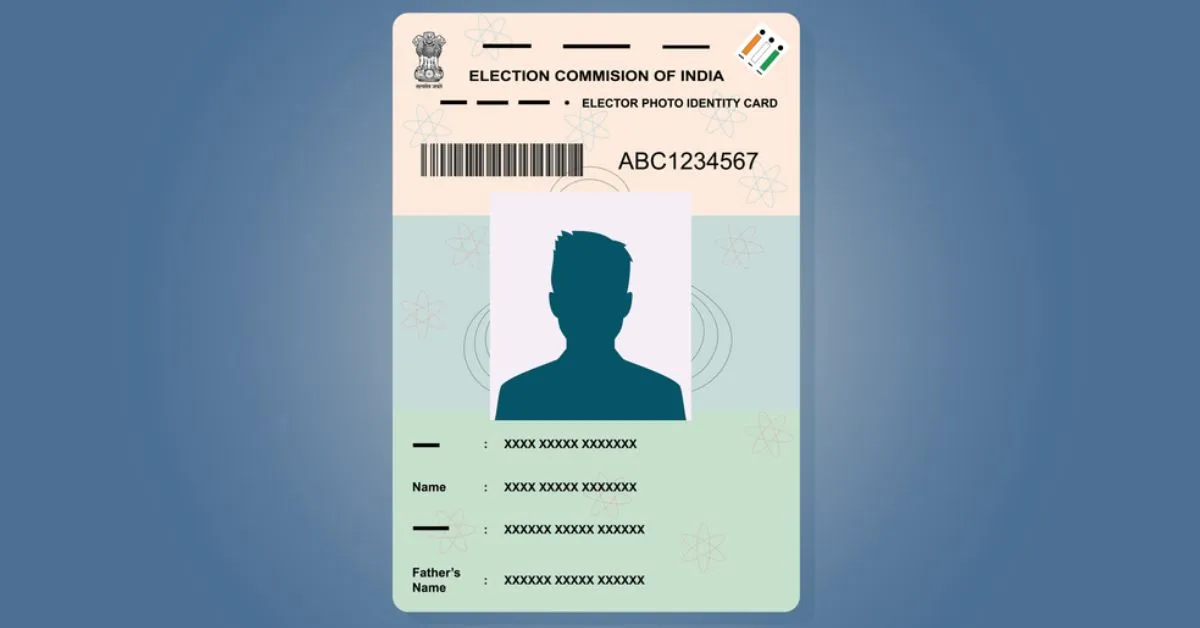
A Voter ID card is one of the most important identity documents that must be used by every Indian citizen above 18 years of age. This document is issued by the Election Commission of India (ECI) and has two major purposes to serve. The first and foremost purpose of the Voter ID card is to provide legal right to vote in the elections. Secondally, it serves as a major identity proof in India. Earlier, people of the nation could only attain a physical voter ID, however, as the world is going digital, the government has offered an online means to attain a digital copy of your Voter ID card. The digital copy of your Voter ID can be downloaded through the National Voters’ Service Portal as well as from the Voter Helpline App.
Downloading a digital Voter ID is extremely simple and helpful, especially when you need the card in an emergency, want a copy on your phone, or have lost the physical card. Here is the complete step-by-step process to download your Voter ID card.
How to Download Voter ID Card: Step-by-Step Process
You can easily download your Voter ID card through two official methods:
-
NVSP (National Voters’ Service Portal)
-
Voter Helpline App
Here is the process for both methods:
For NVSP, follow these steps:
Step 1: Visit the official NVSP website at https://voters.eci.gov.in

Step 2: Click on "Login” if you are an old user or “Sign Up” for a new user at the top right corner.

Step 3: If you're a new user, create an account using your mobile number.

Step 4: Enter your name as per the electoral data in the next screen and click on the “Resend OTP” option.

Step 5: After you have successfully set up your user. You will be redirected to the login page again.
Step 6: Enter your number/email id or EPIC ID and fill out the captcha.
Step 8: Search for the E-EPIC Download option. It is located on the right side of the screen.

Step 9: Enter your EPIC Number which is your Voter ID number.

Step 6: Select your state and click Search.
Step 7: Your details will appear. Now click on "Download E-EPIC".
Step 8: You may be asked to complete an OTP verification for security. Enter the OTP.
Step 9: The digital Voter ID (PDF file) will download to your device.
For Voter Helpline App follow these steps:
Step 1: Download the app from Google Play Store or App Store (search “Voter Helpline”)

Step 2: Open the app and tap on "Login" → Register using your mobile number.
Step 3: Go to the “E-EPIC Download” section.

Step 4: Enter your EPIC number.

Step 5: Verify your details via OTP and tap "Download".
Step 6: Your digital Voter ID (E-EPIC) will be saved in your phone.
Why Is It Important to Download a Voter ID Card?
Downloading your Voter ID card offers several benefits:
1. Easy to Carry
A digital copy on your phone means you don’t always need a physical card. It stays safe and accessible anytime.
2. Useful for Documentation
A Voter ID is needed for many purposes such as:
- Applying for passports
- Government schemes
- Address or ID verification
- Having a digital copy makes documentation smoother.
3. Helps During Election Time
If you lose your physical card, the digital Voter ID allows you to vote without delay (as long as your name is on the voter list).
4. Instant Access in Emergency
If you misplace the card or forget it at home, you can simply download it again in seconds.
5. Secure and Verified
The digital Voter ID is officially issued by the Election Commission of India, making it safe, legal, and fully acceptable as identity proof.
In conclusion, downloading your Voter ID card online is one of the simplest tasks you can complete on the NVSP portal or Voter Helpline app. With just your EPIC number and a registered mobile number, you can access your digital Voter ID in minutes.

Nikhil is a dedicated digital journalist and communications professional with more than five years of experience, currently working within the General Knowledge section at Jagran Josh. He has established himself as a subject matter expert in Finance, Economy, History, Technology, and Trending News, consistently delivering accurate, engaging, and easy-to-read content for a wide global audience.
Over the course of his career, Nikhil has developed deep expertise in crafting informative listicles, viral trending stories. His editorial portfolio also spans finance, historical research, and technology reporting, making him a versatile and well-rounded content professional. Every piece he produces reflects a strong balance between factual accuracy and reader engagement.




![NIOS Hall Ticket 2026 [OUT] LIVE: Download Class 10th, 12th October Theory Admit Card at sdmis.nios.ac.in, Direct link here](https://img.jagranjosh.com/images/2026/October/16102026/NIOS-Hall-Ticket-2026.jpg)
![[OUT] UPSSSC PET Admit Card 2026 LIVE: यूपी पीईटी एडमिट कार्ड जारी, upsssc.gov.in पर Direct Link](https://img.jagranjosh.com/images/2026/October/15102026/UPSSSC-PET-Admit-Card-2026.jpg)