NID DAT 2026 Registration Closes Today, Correction Window Opens Tomorrow at admissions.nid.edu
NID DAT 2026 application window closes today. Eligible candidates can complete the online application form on the official website - admissions.nid.edu
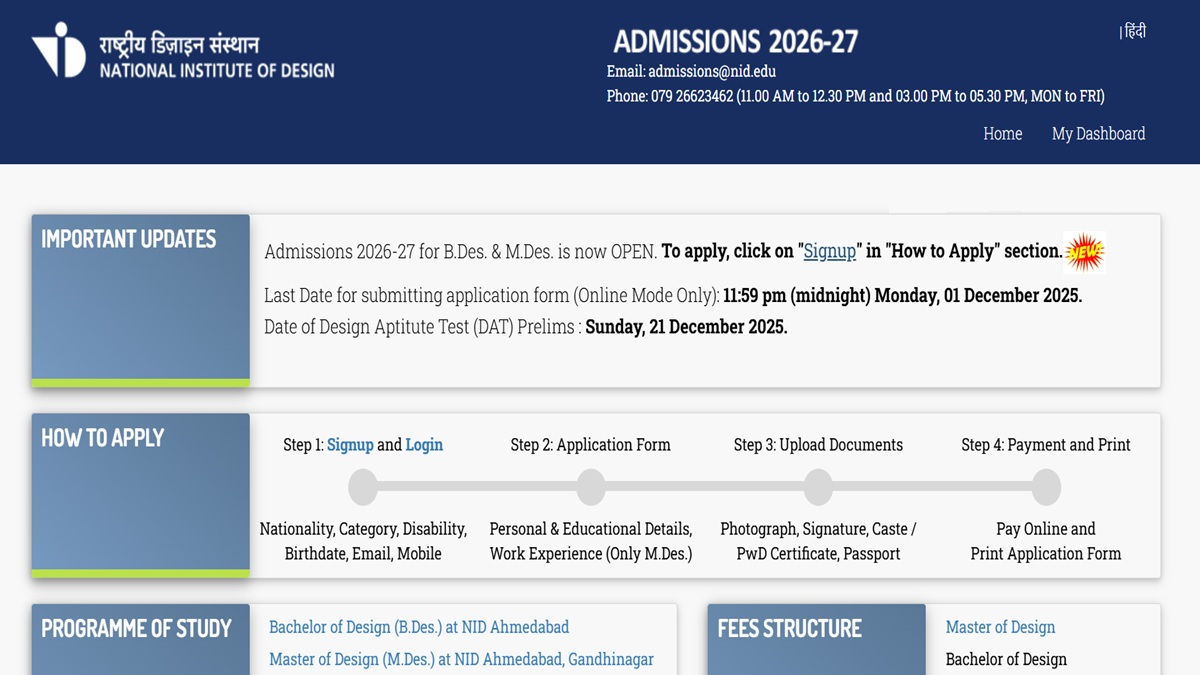
Key Points
- Last date to apply for NID DAT 2026 is December 1, 2025
- NID DAT application correction window to be available from December 2 to 4, 2025
- NID DAT 2026 Prelim exams on December 21, 2025
NID DAT 2026: The National Institute of Design will close the NID Design Aptitude Test (NID-DAT) 2026 application window today, December 1, 2025. According to the notification provided, the link to apply for NID DAT 2026 will be available until 11:59 PM. Candidates appearing for the exams must complete the registration and application process within the given deadline.
The last date for candidates to make changes to their NID DAT 2026 application is December 4, 2025. Only those candidates who have completed their NID DAT 2026 applications will be able to make changes.
NID DAT 2026 application link is available on the official website - admissions.nid.edu. Candidates can also apply for NID DAT 2026 through the direct link given here.
NID DAT 2026 Application - Click Here
NID DAT 2026 Application: Steps to Apply
The NID DAT 2026 registration link is available on the official website. Candidates can also follow the steps provided below to apply.
Step 1: Visit the official website of NID DAT
Step 2: Click on the NID DAT 2026 registration link
Step 3: Fill out all necessary details
Step 4: Upload all necessary documents
Step 5: Submit the NID DAT 2026 application fee
Step 6: Save and click on submit
NID DAT 2026 Schedule
Candidates can check the complete schedule for NID DAT 2026 below
| Applications commence | September 11, 2025 |
| Last date for submitting online applications | 11:59 pm (midnight) Monday, 01 December 2025 |
| Window to edit the application forms | 4 pm Tuesday, 02 December 2025 to 11:59 pm (midnight) Thursday, 04 December 2025 |
| Download Admit Cards for DAT Prelims | 4 pm Thursday, 11 December 2025 |
| DAT Prelims Exam | Sunday, 21 December 2025 |
| DAT Prelims Result BDesign | 4 pm. Tuesday, 07 April 2026 |
| DAT Prelims Exam Result MDesign | 4 pm. Tuesday, 17 February 2026 |

Sherin is an education journalist with over 7 years of experience. Over her tenure of working with top media houses like Careers 360 and then Jagran Josh, Sherin has covered various entrance examinations liek JEE Main, NEET, CUET, GATE, etc. as well as various state board and CBSE results. Her understanding of the education ecosystem coupled with her own experience of teaching as an Assistant Professor of nearly 2 years helps her provide a comprehensive perspective to students. She has a Masters Degree in Communication from Madras Christian College. Apart from covering education news, Sherin also enjoys reading and cooking.




-1792072163652_t.webp)