Google Gemini AI Audio: Turn Recordings Into Notes and Summaries, Check How
Google Gemini AI can now analyse audio files. Learn how to upload recordings, get transcripts, create summaries, and ask questions. This not only saves time but also improves productivity for students, professionals, and content creators. Keep reading more about Google Gemini AI.
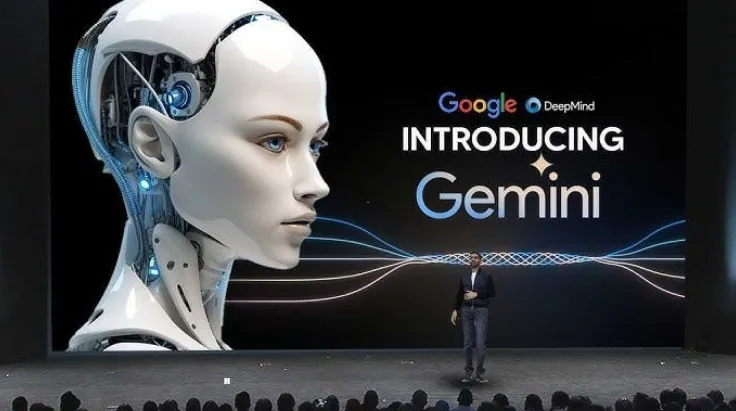
Gemini AI: Google’s Gemini AI has become smarter with its latest update, it can now analyse audio files in addition to text, images, and documents. This is a major change because audio is one of the most common formats we use every day, whether it’s a voice note from a friend, a recorded lecture, an office meeting, an interview, or a podcast. Instead of listening for hours, you can now let Gemini process the file for you and deliver the key insights in minutes. This not only saves time but also improves productivity for students, professionals, and content creators. With this upgrade, Gemini has moved a step closer to being a true all-in-one AI assistant that understands multiple forms of content.
New Audio Feature in Gemini
Gemini’s new feature allows you to upload audio recordings in popular formats such as MP3, WAV, M4A, FLAC, or OPUS. Once uploaded, you can interact with the audio just like you do with text prompts. Here’s what makes it powerful:
•Summarisation of long recordings – Gemini can take a 1-hour meeting or lecture and turn it into a concise summary that highlights the main ideas. Instead of re-listening, you get all the important points in one place.
•Full transcription into text – Every spoken word can be converted into text, which makes it easy to copy, search, and share with others. Transcriptions can include timestamps, so you know exactly when something was said.
•Identification of key details – Gemini can automatically detect important names, dates, numbers, and action points from the audio. This is especially useful for business meetings and legal discussions.
•Interactive Q&A with audio - You don’t need to scroll through the whole transcript. You can simply ask, “What did the speaker say about marketing strategy?” and Gemini will pull out the answer.
•Structured output – Instead of giving raw text, Gemini can format the results into headings, bullet points, or even a checklist, making it easier to use.
How Does Gemini Audio Analysis Work?
The audio analysis process in Gemini uses Google’s advanced speech-to-text engine combined with natural language understanding (NLU). This two-step system makes the results accurate and context-aware:
•Step 1: Speech-to-text conversion - Gemini listens to the uploaded audio and converts it into written words. It recognises different accents, tones, and even background noise with high accuracy.
•Step 2: Language analysis - Once the text is ready, Gemini applies its AI language models to understand meaning, tone, and context. This is where summaries, insights, and explanations are created.
Can Google Gemini convert audio to text?
•Generate complete transcripts – You get a full written version of the audio, which can be searched, highlighted, and stored for future use.
•Create summaries at different lengths - You can ask for a 2-line quick note or a detailed 2-page breakdown, depending on your need.
•Speaker and topic recognition – Gemini can distinguish between different voices in the audio and identify when topics shift.
•Combine with other files - If you upload a PDF or slide deck along with the audio, Gemini can link the two, making the analysis even richer.
This makes Gemini useful for students who want study notes, journalists writing from interviews, podcasters preparing scripts, and business leaders reviewing meetings.
Interesting Facts About Gemini Audio
1. Most Requested Feature
Audio uploads were one of the top requests from users, showing how valuable recordings are in education, business, and media.
2. Works With Other Files
You can combine audio with documents, slides, or images, and Gemini will connect everything together for smarter results.
3. Perfect for Students
Students can upload entire lectures and get instant summaries, saving hours of note-taking and revision. This feature is especially useful before exams.
4. Professional-Grade Support
On paid plans, Gemini can handle up to 3 hours of content per upload, which means you can analyze full conferences, legal hearings, or podcasts without breaking the file.
5. Future Upgrades Expected
Google is likely to add more advanced features such as speaker separation, emotion detection, and real-time translation, which could make Gemini even more powerful in the future.
Read more: Which River Gave India Its Name?

Jasreet Kaur is a journalist with over 3 years of experience in digital media and news content creation. She specializes in covering Trending News, including major National and International developments, with a focus on delivering accurate, engaging, and reader-friendly stories. Prior to this, she worked with Zee News as a Content Writer, where she gained extensive experience in news reporting and content strategy. Driven by curiosity, credibility, and a passion for impactful journalism, Jasreet aims to contribute to informed public discourse while supporting positive growth in organizations, society, and the world.




![NIOS Hall Ticket 2026 [OUT] LIVE: Download Class 10th, 12th October Theory Admit Card at sdmis.nios.ac.in, Direct link here](https://img.jagranjosh.com/images/2026/October/16102026/NIOS-Hall-Ticket-2026.jpg)
![[OUT] UPSSSC PET Admit Card 2026 LIVE: यूपी पीईटी एडमिट कार्ड जारी, upsssc.gov.in पर Direct Link](https://img.jagranjosh.com/images/2026/October/15102026/UPSSSC-PET-Admit-Card-2026.jpg)