


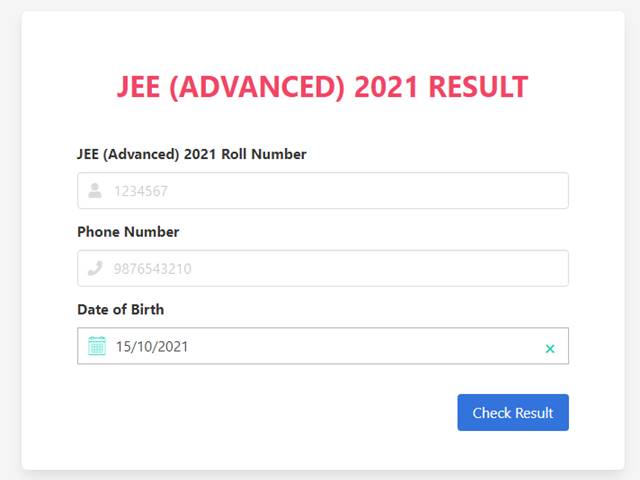
JEE Advanced Results 2021 Declared: JEE Advanced 2021 Results have been declared on the official website of IIT Kharagpur. Candidates who have been eagerly awaiting the declaration of the JEE Advanced 2021 results can now visit the official website of IIT Kharagpur - JEE Advanced 2021 to check the results. The JEE Advanced 2021 examinations were conducted for those candidates who qualified the JEE Main exams as per the eligibility given and wish to take admissions to the undergraduate engineering programmes offered by the IITs across the country.
To check the JEE Advanced 2021 results students are required to visit the official website and enter the JEE Advanced 2021 login details in the result link available on the official website - jeeadv.ac.in. Candidates who are unable to browse through the official website can also check the JEE Advanced 2021 Results through the direct link provided on this page.
JEE Advanced Result - Direct Link
Steps to check JEE Advanced 2021 Results
- Step 1: Visit the IIT Kharagpur JEE Advanced 2021 official website
- Step 2: Click on the JEE Advanced 2021 Result link/ Candidate login provided on the home page
- Step 3: Enter the JEE Advanced 2021 Application login details in the result link
- Step 4: Download the JEE Advanced 2021 Results for further reference
JEE Advanced 2021 Results Details
The JEE Advanced 2021 Results will include the details such as the name and roll number of the students, the name of the examination, exam section and marks secured in each section, minimum marks required, total marks secured and the qualifying status of the student
What after JEE Advanced 2021 Results
After the JEE Advanced 2021 Results have been declared, the institution will conduct the counselling process for those students who have qualified for the same. The counselling schedule and complete procedure will be uploaded on the official website of IIT Kharagpur. Candidates are required to complete the counselling registrations after which the allotment will be conducted.





Comments
All Comments (0)
Join the conversation