

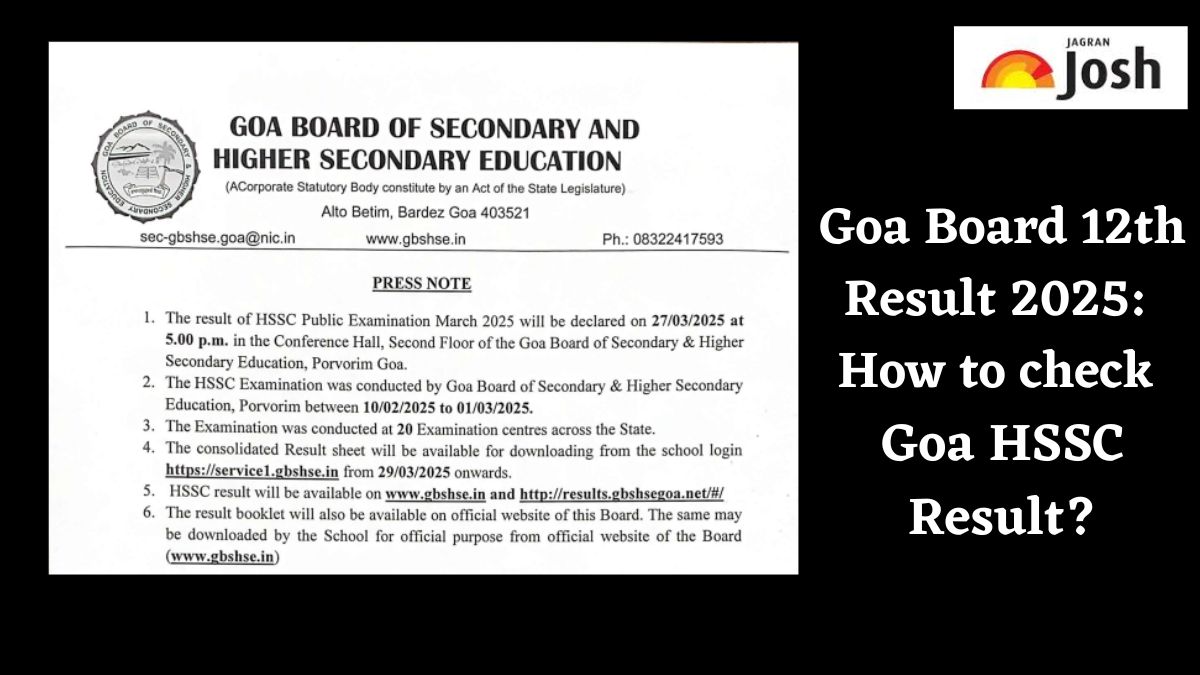
Goa Board HSSC Result: The Goa Board of Secondary and Higher Secondary Education (GBSHSE) has declared it Goa HSSC Results of class 12. Candidates who appeared in the examination can check their results and download the scorecards by visiting the official website, gbshse.gov.in. Candidates can use their login credentials to access their board results for 2025.
Goa board annual exams were conducted for class 12 between February- March 2025. The GBSHSE class 10 exam will be held from March 1 to 20, 2025, while the Goa board class 12 exam will be held from February 10 to March 1, 2025. The Goa board result 2025 will be announced on the official website gbs hse.in. To check the Goa board results, students are required to visit the official website and log in using their login credentials.
How to check Goa HSSC Result 2025?
Goa board website - Goa board HSSC result 2025 will be available on the official website at gbshse.gov.in. The steps to download the Goa board online mark sheet are given below.
Step 1: Go to the official website of the Goa Board.
Step 2: Click on the board result tab on the top-right corner.
Step 3: Click on the Class 12 result link.
Step 4: Enter the required login credentials, including seat number, Date of Birth
Step 5: Goa Board 12th results will be displayed on the screen.
Step 6: Check and download the Goa Board 12th Class Results for 2025
Step 7: Save it for future reference.
Check Goa Board HSSC Result 2025 Here
How to check Goa HSSC Result on DigiLocker?
Students can also use DigiLocker, a digital platform for storing and accessing official documents. Follow these steps to check your Goa HSSC Result 2025 via DigiLocker:
Step 1: Download the DigiLocker App or visit the DigiLocker website on your mobile phone.
Step 2: Sign In using a registered mobile number. if not, register yourself.
Step 3: Click on the “Issued Documents” section.
Step 4: Check the Goa HSSC Marksheet by entering your Aadhar Number and other details as per required.
Step 5: Click on “Get Document”.
Step 6: Download the digital mark sheet/certificate.
Step 7: Save to Locker for future reference by clicking on “Save to Locker”.
How to check Goa HSSC Result through SMS?
In case the official website is not working, candidates can also check their results through SMS, by following the instructions below:
Step 1: Open SMS on your mobile phone.
Step 2: Type “GOA12 SEAT NUMBER” and send it to 56263, 58888, or 5676750.
Step 3: Alternatively, type “GB12 SEAT NUMBER” and send it to 54242.
For more updates, stay tuned at Jagran Josh.




Comments
All Comments (0)
Join the conversation